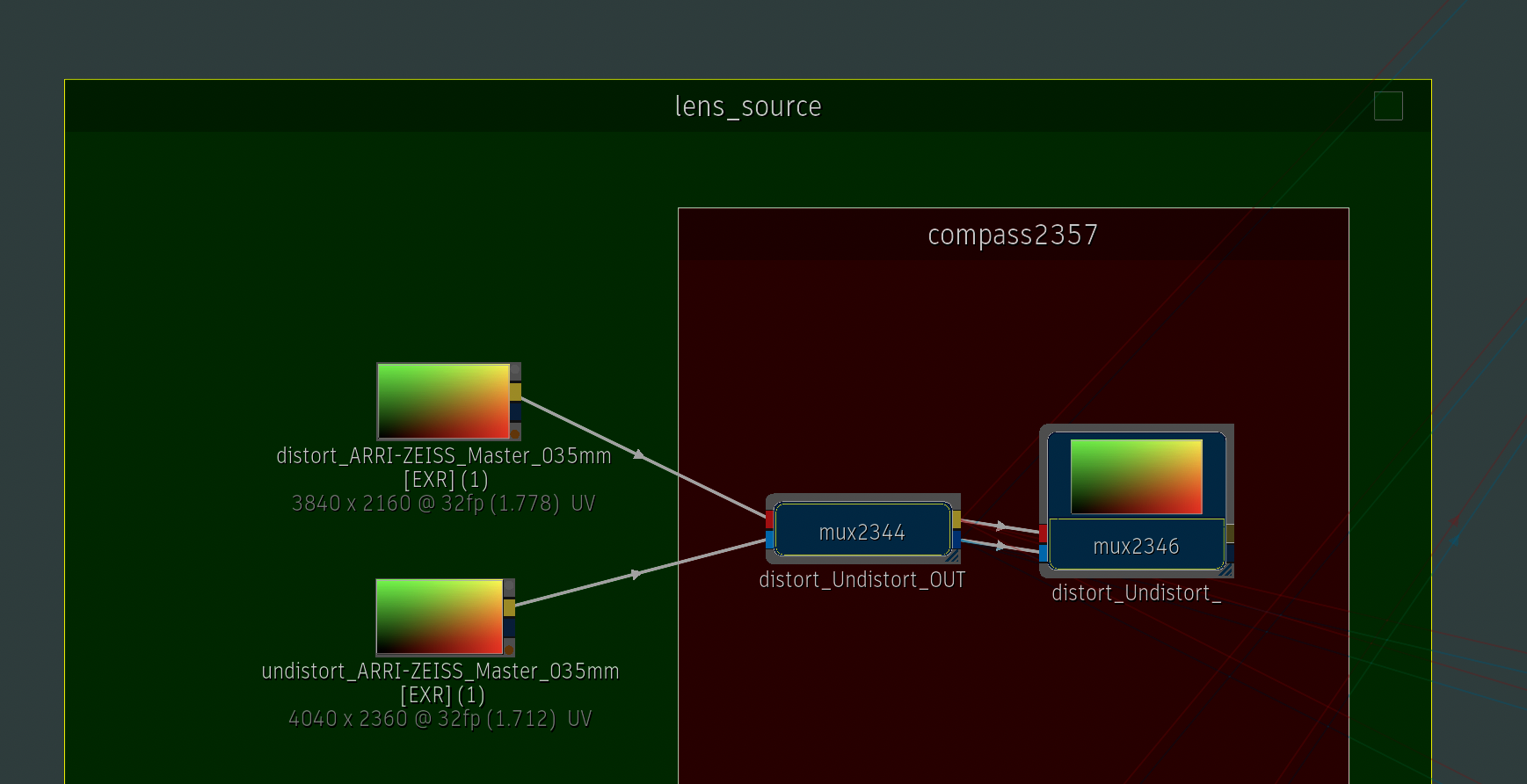
- ST maps are an important tool within VFX.
- These critical assets are expected along with solved cams from 3d trackers. They are generated as part of the camera solve.
- ST maps are not universal. Lenses from same manufacturer and model may have individual differences. Universal maps are good for look dev, but proper solves from 3d tracks, include maps generated. Use the solved maps in production to avoid slipping caused any differences.
- Lens maps match the sensor size, not image resolution. It’s possible to have bigger images from smaller sensors. Resizing lens maps requires extreme caution to avoid unwanted results. Leave them at size in most cases.
- Most lenses will see the distortion change over a focus pull, capturing the “breathing” of a lens. Properly mapping lenses requires capturing grids from multiple focal distances.
- Anamorphics are especially touchy. Any imperfections are amplified across the horizontal aspect ratio. Even a slight mismatch of the rotation of lens locking into diff cam bodies, may significantly impact the results.
- ST maps are Red/Green gradients and work similarly to UV maps. They warp the pixels to distort/undistort an image based on the values in the Red/Green channels. These maps need 32bit linear color depth to avoid artifacts.

Lens Grids before/After undistort:


- CamOrig added padding to match size of undistorted plate. (unwrapping the distortion usually results in a larger image)
- Result squares out the blocks at the edge of lens.
- These results aren’t from a perfect solve, but illustrates the idea.
Results are more obvious w ANA:


This is helpful with CG elements in comp. Apply the same distortion to a CG element. This helps integration over the original plate.
slap comp VS comp using distortion and vignette added to CG element only:


Results are more obvious w ANA:


2023_Oct06
RnD VFX: Comparative lensing on Meerkat Demo
Compare lenses and formats on Unreal Meerkat Demo.

LINK: https://vimeo.com/871931487?share=copy

LINK: https://vimeo.com/871932378?share=copy

LINK: https://vimeo.com/871930698?share=copy
2023_Aug14
RnD VFX: Creative lens maps
Broke dropbox limits, so are new links:
Missed Siggraph last week, but always appreciated the feeling of community and sharing it brought.
In that spirit…
I’ve been thinking about datasets, coming to the conclusion that the strength of a library is not its contents, instead it’s in the curation/usage of the data.
Recently I’ve been diving back into RnD of cinema lenses for consistent workflows with houdini, unreal and flame.
Lens distortion is one of many factors that give different lenses a particular personality.
Over the last couple of decades I’ve accumulated a wide range of lens grids so I decided to make a coherent set of stMaps that are easy to plug in.
Each set includes distort/undistort map in 32bit EXR. These maps will work in any app that supports the workflow.
Cinema lenses are largely handmade so DO NOT assume these will replace shooting production grids for your tracking team.
Even lenses of same type/manufacturer can vary.
If you want your 3d tracks to stick, trust the stMaps that come back from your tracking team.
These ARE helpful to create looks for MoGFX or to add to CG renders to make them feel more cinematic.
This set of 133 spherical and 83 anamorphic lens maps should work for such creative pursuits.
These are only the initial building blocks for creating true lens models which would include: breathing, flares/glares, vignettes and bokeh as well as mappings for focus, iris and zoom pulls.
An example shot of my personal database:

WIP example of procedural access via houdini:
Addtl links worth checking out for more RnD about lenses:
https://yedlin.net/NerdyFilmTechStuff/index.html
https://vimeo.com/search?q=five%20pillars%20of%20anamorphic
https://www.sharegrid.com/learn/lens-sets
https://www.cinelensmanual.com/
2022_Sept08
RnD Flame: Quick Shotgun Demo
Music: The Showdown High Noon – P5
Sample TOKENs REFERENCE
ALL TIMELINE EXPORTS DONE AT JOB LEVEL OF PROJECT
refSEQ:
export: Movie
Video Format: Movie (Chosen instead of Sequence Publish so audio is correctly included)
Shared Preset:
PUBLISH_refSEQ
PATTERN:
SHOT/refSEQ/<name><YYYY>_<MM><DD>.
shotPUB:
export: Sequence Publish
Shared Preset:
PUBLISH_shotPUB
Use Top Video Track: On
Export in FG: On (default but set to taste)
Video Format: File Sequence
Media: Original Media
Handles: 10 frames
MultiChannel and Alpha: ON
Set to Generate Media. (Needs to be on to resolve issues w PNGs and alphas working correctly)
PATTERN:
<shot name>/<track name>/<segment name>/<segment name>.
openClip PATTERN
openClip/_elem/<shot name>/<segment name>.
NO SHOT SETUP ON PUBLISH. (Although this is tempting to use, I’ve found it to be more hassle than it’s worth. Creating v000 shot templates w the published openClips is a better solution.)
Frame Pad: 4
Start Frame: 1001
Resolution: Same as Clip
out_DPX:
export: Sequence Publish
Shared Preset:
PUBLISH_outDPX
Video Format: File Sequence
Media: Media w FX (will include any repos)
Format: DPX
Uncompressed (important for 10b DPX)
out/<YYYY><MM><DD>_01/dpx/<segment name>/<segment name>.
Bit Depth: 10 bit (If not set to Uncompressed above, instead of Packed, this will always spit out 12 bit)
Note:
DPX out to client. Defaults w number “01”. Change to 02 manually for 2nd delivery of the day, etc… Export at season level.
out_QT:
export: Sequence Publish
Shared Preset:
PUBLISH _outQT
Video Format: Movie
Format: Quicktime
Compression: Apple ProRes 422 LT (or other client pref)
Use LUT: ON
Tag Only as rec709. (seems otherwise will look at source file of EXR which hasn’t been changed by the CDL and Cube)
PATTERN:
out/<YYYY><MM><DD>_01/editorial/<segment name>.
Note:
QT out to client. Defaults w number “01”. Change to 02 manually for 2nd delivery of the day, etc… Export at job level.
ElemLibrary PUB:
IMPORTANT: ALWAYS PUBLISH ELEMENTS TO THE SHOW, DO NOT LEAVE LINKED TO SOURCE LIBRARY.
This ensures that the element will always live in the project structure, and will remain unbroken if cleanup is happening in source library.
export: Sequence Publish
Shared Preset:
PUBLISH_elemLibrary
PATTERN:
assets/element_library/<segment name>/<segment name>.
openClip PATTERN:
openClip/assets/element_library/<segment name>
2020_Apr22